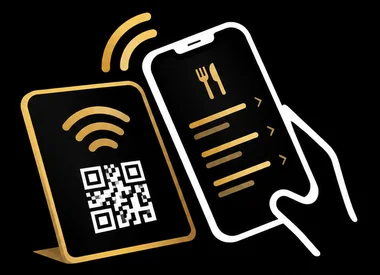
NFC Menu Card vs QR Code Menu: Which Is Better for Restaurants?
October 6, 2026
Both NFC menu cards and QR code menus let customers view your digital menu on their phones without printing paper menus, but they work differently: NFC requires a simple tap within a few centimetres of a card, while QR codes need customers to open their camera app and point it at the code. Each technology has distinct advantages depending on your restaurant's needs and customer base.
Choosing between these two options comes down to understanding how your guests interact with technology, your budget for setup and maintenance, and the overall experience you want to create at your tables.
How Each Technology Works
QR code menus require customers to open their phone's camera app, point it at the printed or displayed code, and tap the notification that appears. The process involves holding the phone steady for a moment while the camera focuses and recognizes the code.
NFC menu cards work by simply holding a phone near the card, typically within a few centimetres. On iPhone XS, XR and newer models, the phone reads the NFC tag automatically in the background without opening any app. Older iPhones need an NFC reader app installed first. Android phones require NFC to be switched on in settings, which many users already have enabled for contactless payments.
Once activated, both technologies open your digital menu directly in the phone's browser, requiring no special app installation for the guest.
Customer Experience Differences
The physical interaction differs noticeably between the two. With QR codes, customers must position their phone correctly, ensure proper lighting, and wait for the camera to focus. Worn, dirty, or poorly printed QR codes can be difficult to scan, especially in dim restaurant lighting.
NFC cards offer a more immediate interaction. Customers simply tap their phone on the card and the menu appears. This feels more intuitive to many people, similar to contactless payment. There's no need to aim carefully or worry about lighting conditions.
However, QR codes work with any smartphone that has a camera, regardless of age. NFC technology is standard on newer phones but not universal on older devices, meaning a small percentage of customers might not be able to use an NFC-only solution without an additional app.
Setup and Maintenance Considerations
QR codes can be generated free online and printed on any paper or screen. You can place them anywhere: laminated on tables, printed on tent cards, or displayed on posters. When you change your menu system or URL, you'll need to reprint the codes unless you use a dynamic QR service.
NFC cards require an upfront purchase of physical cards with embedded NFC tags. Services like TapToMenu provide these cards pre-programmed for restaurant use. The advantage is durability: a quality NFC card withstands spills, wiping, and daily handling better than printed QR codes. NFC tags are also rewritable unless specifically locked, meaning the destination URL can be updated if needed without replacing the physical card.
Both solutions require you to maintain a digital menu online, which involves the same ongoing work regardless of how customers access it.
Cost and Durability
QR codes have minimal initial cost but may require frequent reprinting as codes become damaged, stained, or worn from cleaning. Lamination helps but adds expense and still degrades over time.
NFC cards cost more initially but typically last much longer. A well-made card can survive thousands of taps and regular cleaning with standard disinfectants. Over a year or two, the difference in replacement costs may balance out.
Which Should You Choose?
QR codes make sense if you need an immediate, low-cost solution, want to test digital menus before committing, or frequently change where menus are displayed. They work well for outdoor seating, takeaway areas, or any situation where you need many access points cheaply.
NFC cards suit restaurants wanting a premium, seamless guest experience, especially fine dining establishments where the physical interaction matters. They're practical for fixed table settings where the same cards stay in place long-term. The technology feels modern and requires less customer effort when it works.
Many restaurants find a hybrid approach works best: NFC cards on tables for the smoothest experience, with QR code backups for guests with older phones or in secondary locations like restrooms or waiting areas.
Frequently Asked Questions
Do customers need to download an app to use NFC menu cards or QR codes?No, guests don't need to download anything. Both technologies open your menu directly in their phone's web browser. However, older iPhones (before XS/XR) do need an NFC reader app to use NFC cards.
Can I update my menu without changing the NFC card or QR code?Yes, as long as the card or code points to a web address where you can edit the menu content. You change the menu on your website, and the same card or code will show the updated version. You only need to replace them if the web address itself changes.
What happens if a customer's phone doesn't support NFC?They won't be able to use an NFC card without downloading an NFC reader app first. This is why some restaurants keep a QR code available as a backup option, either printed small on the NFC card itself or displayed nearby.
Tap the card. The menu opens.
An NFC menu card for restaurants and cafes. Guests hold their phone near it and your menu opens instantly, automatically translated into their language. No app, no printing new menus.
Order your cards